Webhooks are in Beta and available to all customers. Additive changes are normal, and breaking changes may be made with notice while we incorporate customer feedback. See Versioning and compatibility.
Webhooks notify your application when something happens in Rho, such as a new transaction being created. Rho sends an HTTP POST request to your endpoint with the event data, so you don't have to keep checking the API for changes.
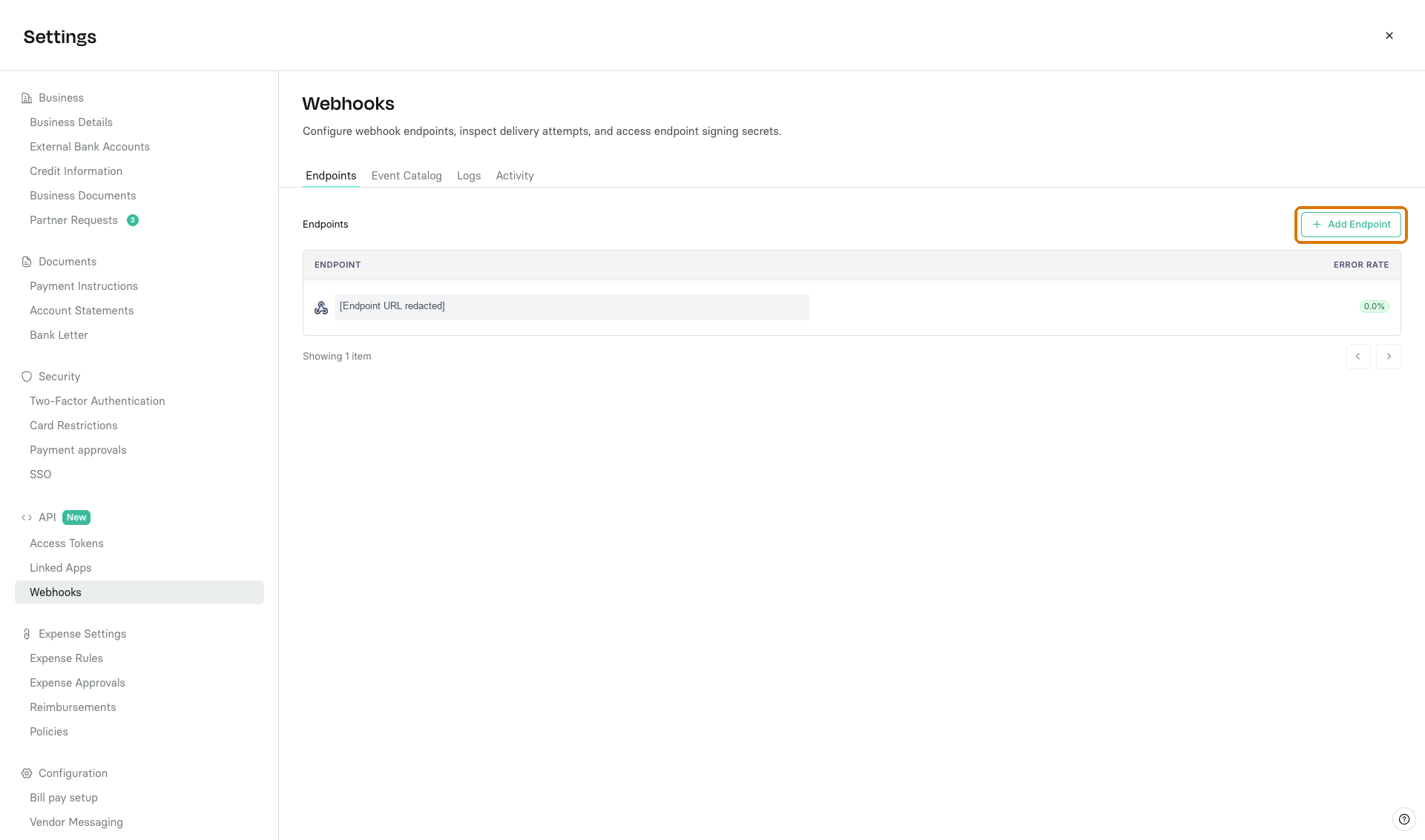
In Rho, go to Business Settings > API > Webhooks.
Click Add Endpoint.
Enter an Endpoint URL - the HTTPS address in your application that will receive the requests.
Select the events you want to receive, such as
transaction.created.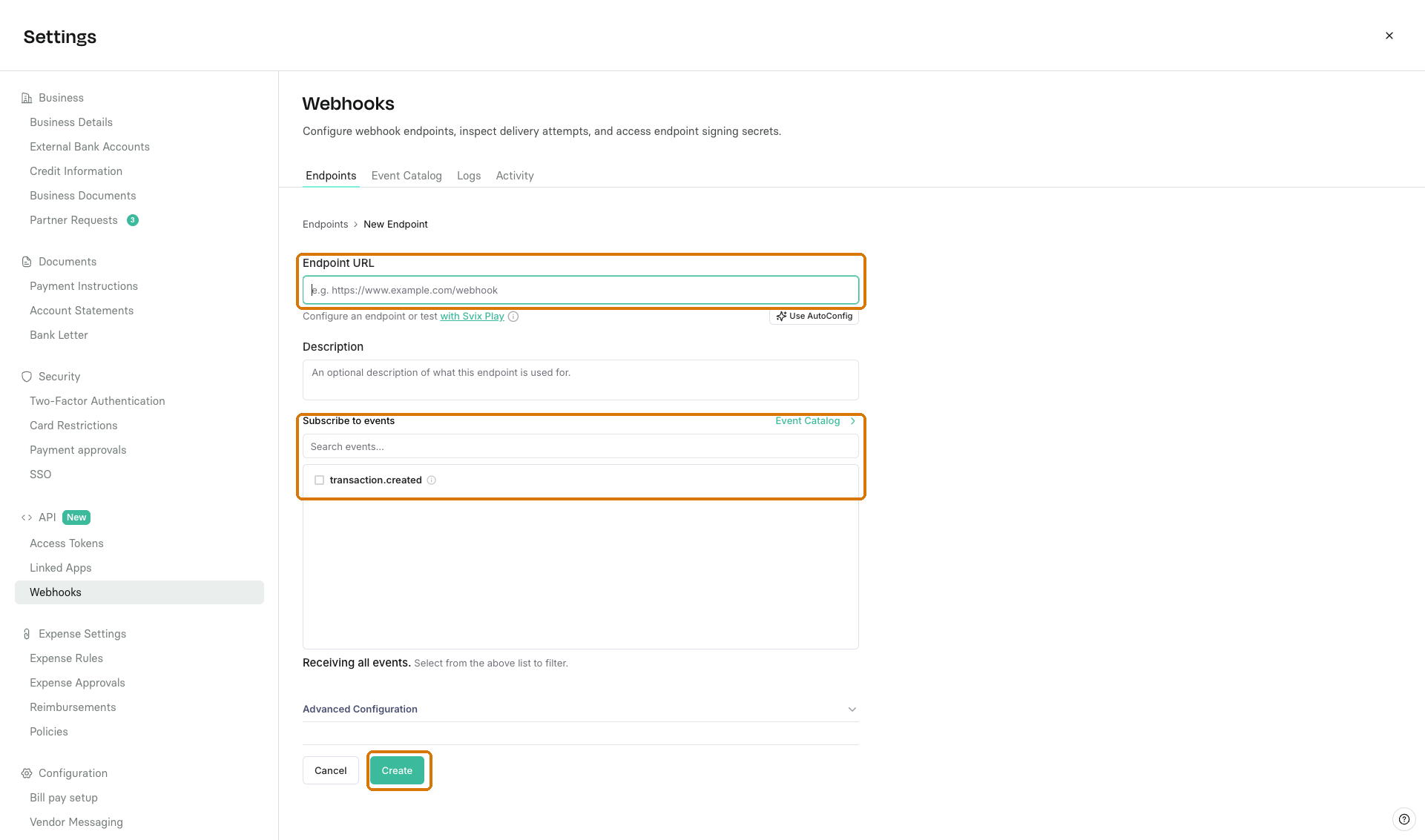
Click Create. On the endpoint details page, you'll find its Signing Secret. Copy it into your application's secret manager. You'll need it to verify incoming requests.
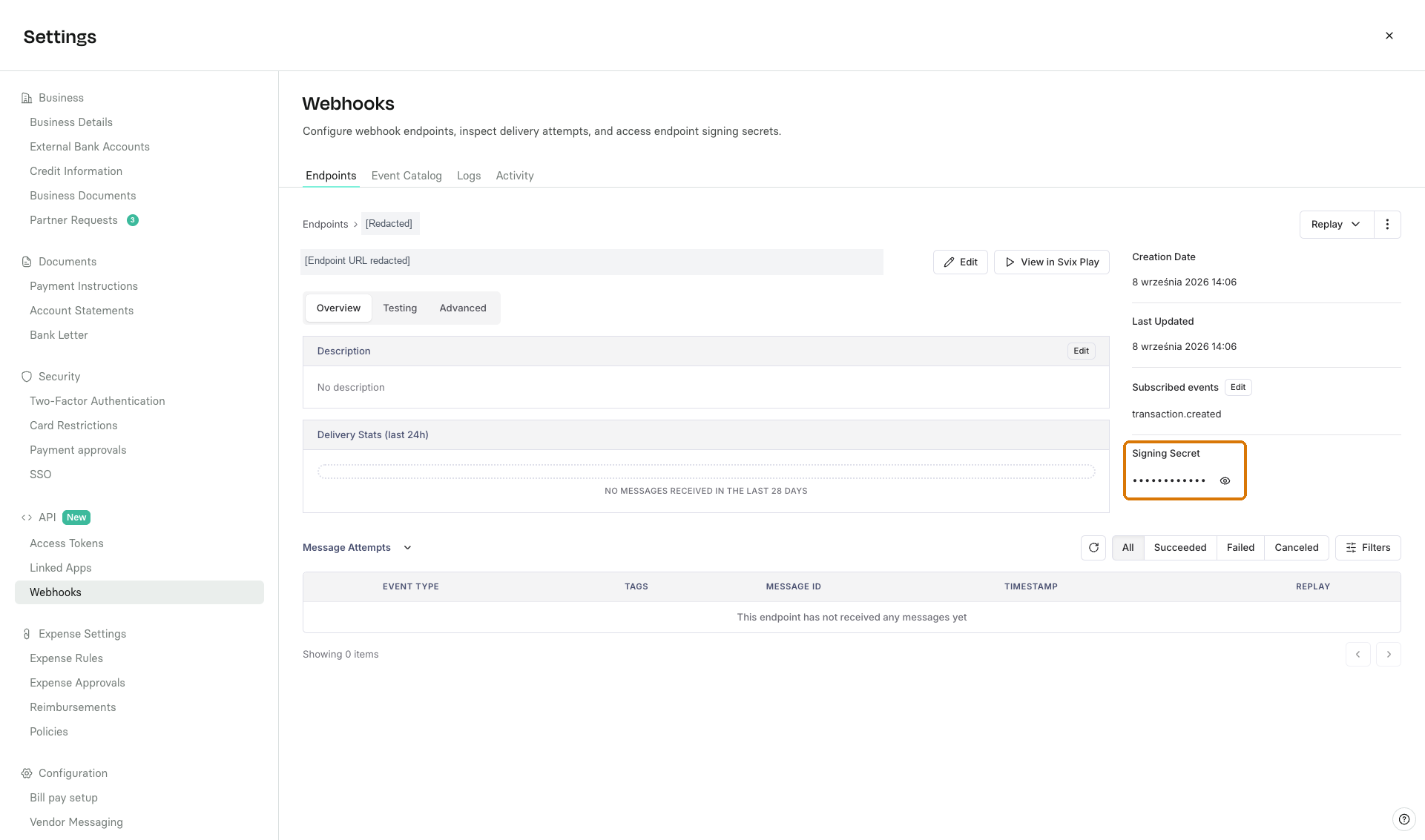
Before processing an event, verify its signature with the endpoint's Signing Secret. This checks that the request came from Rho and that its contents haven't changed along the way.
The Signing Secret is not an API Access Token. Keep it on your server, out of source control and logs. You don't send it back to Rho or include it in a response.
Each request includes three headers used for verification:
| Header | What it contains |
|---|---|
webhook-id | The message ID. Retries of the same message keep this ID. |
webhook-timestamp | The time this delivery attempt was signed, in Unix seconds. |
webhook-signature | One or more signatures to check against the request body. |
Use Svix's maintained verification examples for your language and framework. When using them with Rho:
- Use your endpoint's Signing Secret, including the
whsec_prefix. Load it from your secret manager or server environment. - Pass the raw request body, before parsing JSON. Parsing and re-encoding it can change the bytes and break signature verification.
- Use the
webhook-*headers listed above. Some examples usesvix-id,svix-timestamp, andsvix-signatureinstead. The Svix libraries accept Rho'swebhook-*names directly, so you don't need to rename incoming headers. - Keep timestamp verification enabled. Reject timestamps more than five minutes away from your server's clock, and keep that clock synchronized. This helps reject old requests being replayed, but doesn't replace duplicate handling.
- Reject requests that fail verification. Only process or store the event after verification succeeds, and return
2xxonly after processing or durable storage succeeds.
If verification fails, check that you're using the secret for the right endpoint, all three headers reach your handler, and no middleware parses or changes the body before verification. Don't work around an error by skipping the check.
If you prefer not to use a verification library, this example uses Go's standard library alone. It checks the timestamp and compares the HMAC-SHA256 signature against each v1 entry in webhook-signature.
Set RHO_SIGNING_SECRET to the full Signing Secret, including whsec_. Save this as main.go in a Go module and run it with go run . using Go 1.22 or later.
package main

import (
	"crypto/hmac"
	"crypto/sha256"
	"encoding/base64"
	"io"
	"log"
	"net/http"
	"os"
	"strconv"
	"strings"
	"time"
)

func main() {
	secret := os.Getenv("RHO_SIGNING_SECRET")
	key, err := base64.StdEncoding.DecodeString(strings.TrimPrefix(secret, "whsec_"))
	if err != nil || len(key) == 0 {
		log.Fatal("Set RHO_SIGNING_SECRET to a valid endpoint signing secret")
	}

	http.HandleFunc("POST /webhooks/rho", func(w http.ResponseWriter, r *http.Request) {
		payload, err := io.ReadAll(http.MaxBytesReader(w, r.Body, 1<<20))
		if err != nil {
			w.WriteHeader(http.StatusBadRequest)
			return
		}

		if !verifySignature(key, payload, r.Header) {
			w.WriteHeader(http.StatusBadRequest)
			return
		}

		// Process or durably save the event here before acknowledging it.

		w.WriteHeader(http.StatusNoContent)
	})

	log.Fatal(http.ListenAndServe(":8080", nil))
}

func verifySignature(key, payload []byte, headers http.Header) bool {
	messageID := headers.Get("webhook-id")
	timestamp := headers.Get("webhook-timestamp")
	signedAt, err := strconv.ParseInt(timestamp, 10, 64)
	if err != nil || messageID == "" {
		return false
	}

	// Reject old requests and timestamps too far in the future.
	now := time.Now().Unix()
	if signedAt < now-300 || signedAt > now+300 {
		return false
	}

	mac := hmac.New(sha256.New, key)
	mac.Write([]byte(messageID + "." + timestamp + "."))
	mac.Write(payload)
	expected := mac.Sum(nil)

	for _, entry := range strings.Fields(headers.Get("webhook-signature")) {
		version, signature, ok := strings.Cut(entry, ",")
		if !ok || version != "v1" {
			continue
		}
		actual, err := base64.StdEncoding.DecodeString(signature)
		if err == nil && hmac.Equal(expected, actual) {
			return true
		}
	}
	return false
}
hmac.Equal compares signatures without leaking their contents through comparison timing. The event-processing step is left for you to fill in: return 2xx only after processing or durable storage succeeds, and return an error if it fails. Don't use the empty success path in production. The 1 MiB body limit is an example, not a Rho payload-size guarantee. For production, configure server timeouts and expose the endpoint over HTTPS.
If your endpoint is behind a firewall or IP allowlist, allow inbound webhook requests from these US source addresses:
| IP version | Source address or range |
|---|---|
| IPv4 | 44.228.126.217 |
| IPv4 | 50.112.21.217 |
| IPv4 | 52.24.126.164 |
| IPv4 | 54.148.139.208 |
| IPv6 | 2600:1f24:64:8000::/56 |
The IPv6 entry is a CIDR range, not a single address.
An IP allowlist does not replace signature verification. These addresses are shared with other webhook senders, so always verify each request with your endpoint's Signing Secret.
- Acknowledge only after you've accepted the event. Return a
2xxresponse once you've processed it or saved it for later processing. If saving fails, return an error so delivery can be retried. - Expect duplicates. Use
webhook-idto recognize a message you've already accepted. Return2xxfor that duplicate without doing the work again. Store this record durably, not just in memory, and account for requests arriving at the same time. - Keep the response quick. Save the event to a durable queue before responding, then do slower work such as sending emails or calling other services in a worker. Starting a background task without saving it first can lose the event if your server restarts.
If your endpoint is unreachable, times out, or returns a non-2xx response, delivery is retried. Retries are limited, so don't rely on them as permanent storage.